排序方法的可视化验证
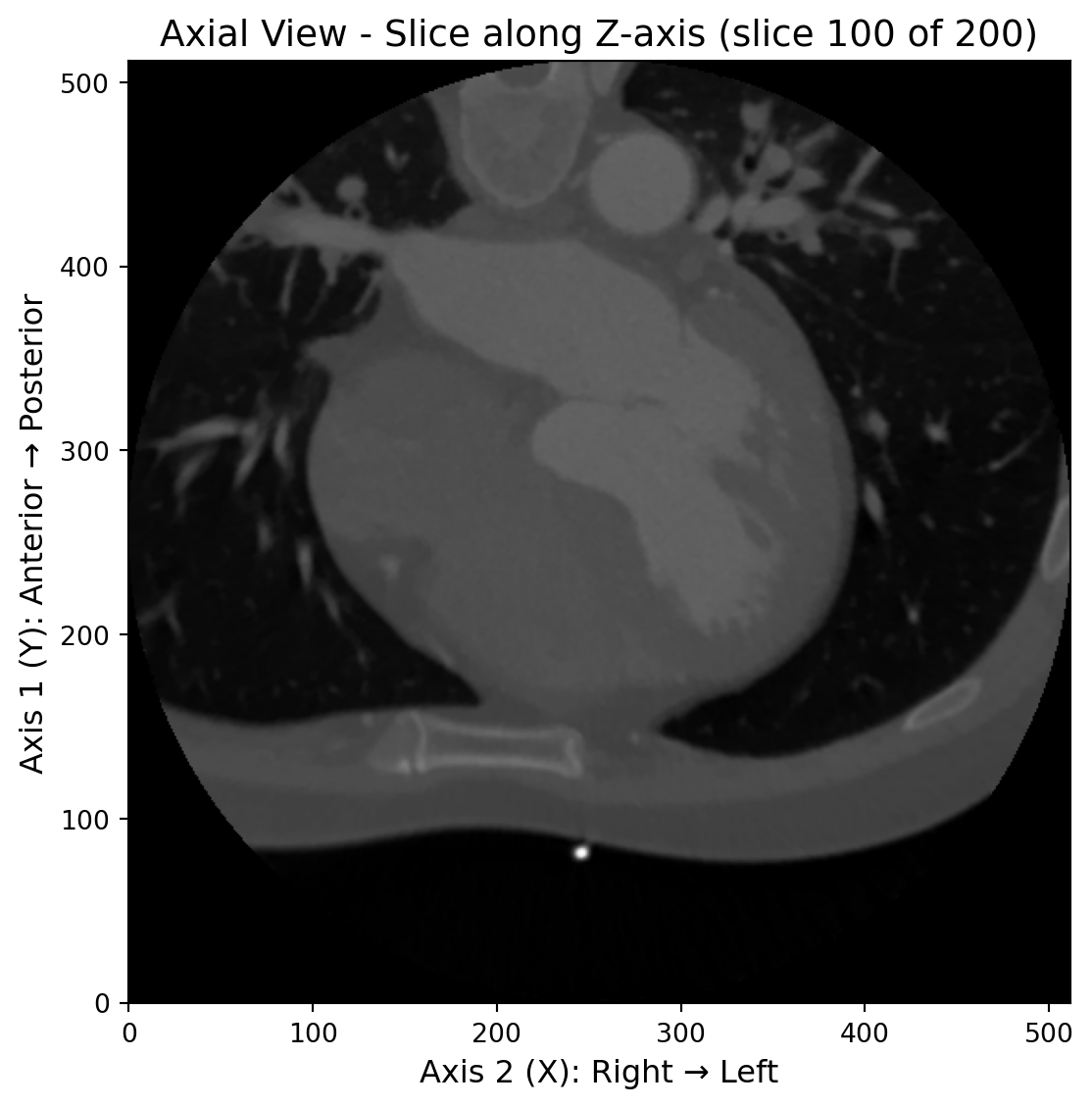
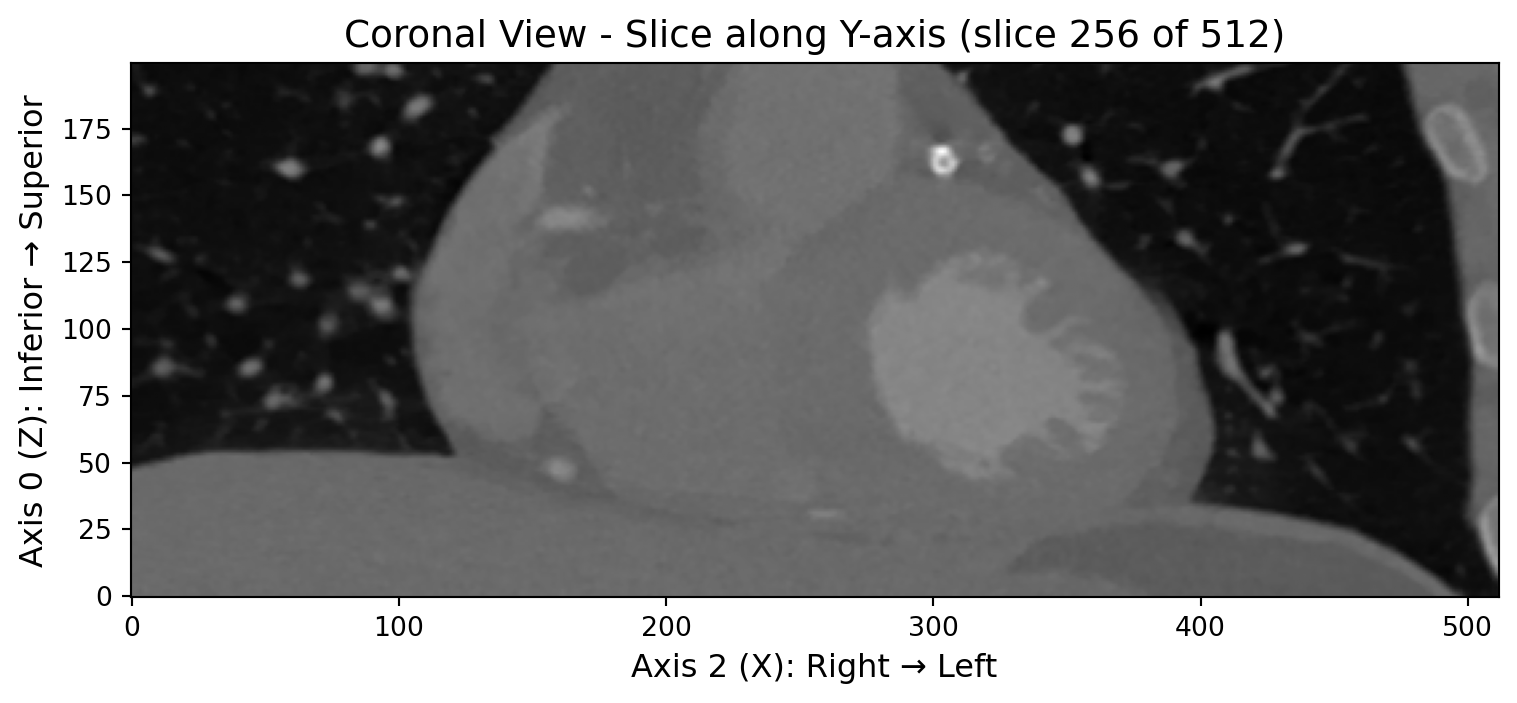
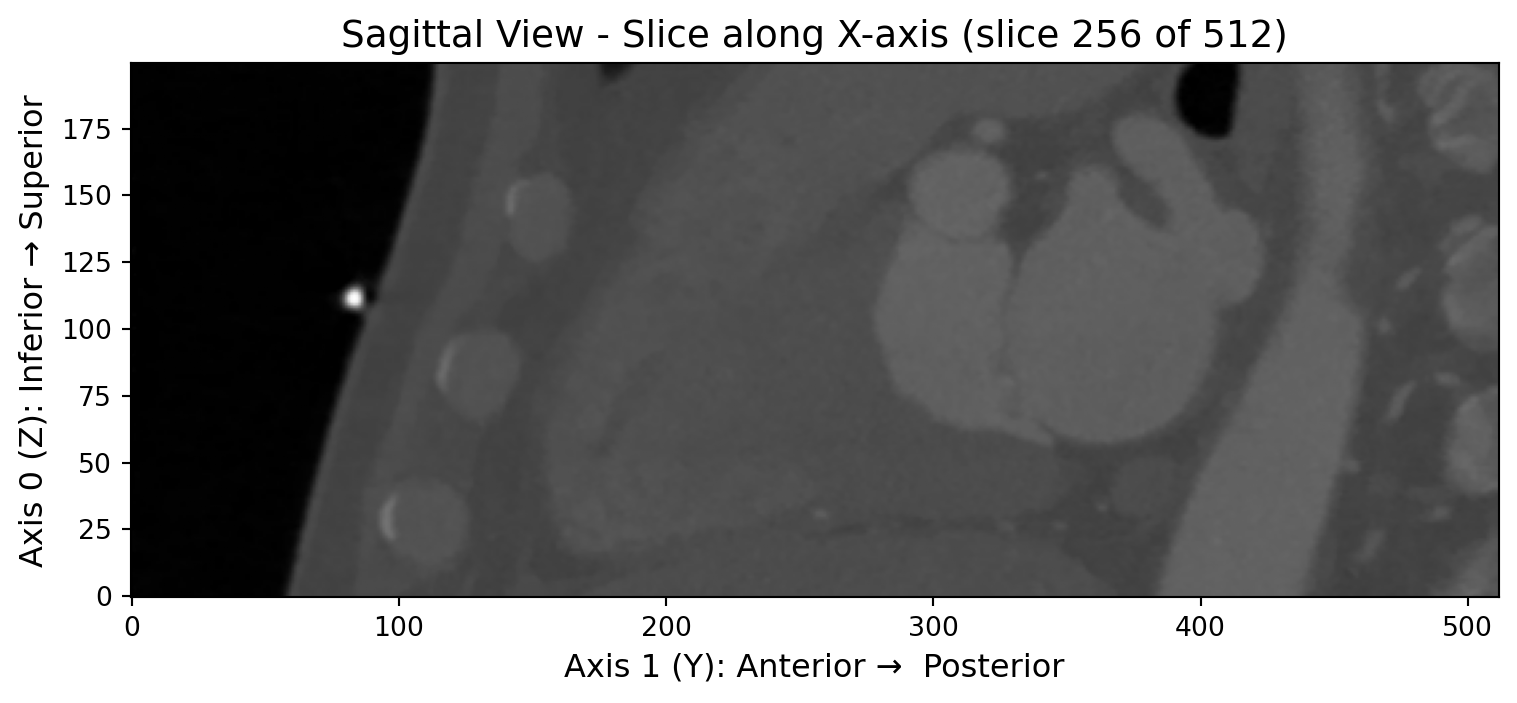
让我们通过三视图的方式来直观地观察和验证右手坐标系排序的效果。通过查看横断面、冠状面和矢状面的图像,我们可以清楚地了解图像的空间排列是否正确:
import dicube
from dicube import SortMethod
import numpy as np
import matplotlib.pyplot as plt

# 加载示例DICOM数据
dirname = 'dicube-testdata/dicom/sample_200'

# 使用右手坐标系排序方法加载图像数据
img_rh = dicube.load_from_dicom_folder(dirname, sort_method=SortMethod.POSITION_RIGHT_HAND)

print("=== 右手坐标系排序的图像数据信息 ===")
print(f"图像数据形状: {img_rh.raw_image.shape}")
print(f"排序方法: POSITION_RIGHT_HAND")

# 获取中心切片
def get_center_slices(image_data):
    """获取三个方向的中心切片"""
    z_center = image_data.shape[0] // 2
    y_center = image_data.shape[1] // 2
    x_center = image_data.shape[2] // 2

    return {
        'axial': image_data[z_center, :, :],      # 横断面
        'coronal': image_data[:, y_center, :],    # 冠状面
        'sagittal': image_data[:, :, x_center]    # 矢状面
    }

slices_rh = get_center_slices(img_rh.get_fdata())

# 创建三个独立的图
# 1. Axial View (横断面)
fig1, ax1 = plt.subplots(1, 1, figsize=(8, 6))
im1 = ax1.imshow(slices_rh['axial'], cmap='gray', origin='lower')
ax1.set_title(f'Axial View - Slice along Z-axis (slice {img_rh.raw_image.shape[0]//2} of {img_rh.raw_image.shape[0]})', fontsize=14)
ax1.set_xlabel('Axis 2 (X): Right → Left', fontsize=12)
ax1.set_ylabel('Axis 1 (Y): Anterior → Posterior', fontsize=12)

plt.tight_layout()
plt.show()

# 2. Coronal View (冠状面)
fig2, ax2 = plt.subplots(1, 1, figsize=(8, 6))
im2 = ax2.imshow(slices_rh['coronal'], cmap='gray', origin='lower')
ax2.set_title(f'Coronal View - Slice along Y-axis (slice {img_rh.raw_image.shape[1]//2} of {img_rh.raw_image.shape[1]})', fontsize=14)
ax2.set_xlabel('Axis 2 (X): Right → Left', fontsize=12)
ax2.set_ylabel('Axis 0 (Z): Inferior → Superior', fontsize=12)
plt.tight_layout()
plt.show()

# 3. Sagittal View (矢状面)
fig3, ax3 = plt.subplots(1, 1, figsize=(8, 6))
im3 = ax3.imshow(slices_rh['sagittal'], cmap='gray', origin='lower')
ax3.set_title(f'Sagittal View - Slice along X-axis (slice {img_rh.raw_image.shape[2]//2} of {img_rh.raw_image.shape[2]})', fontsize=14)
ax3.set_xlabel('Axis 1 (Y): Anterior →  Posterior', fontsize=12)
ax3.set_ylabel('Axis 0 (Z): Inferior → Superior', fontsize=12)
plt.tight_layout()
plt.show()
=== 右手坐标系排序的图像数据信息 ===
图像数据形状: (200, 512, 512)
排序方法: POSITION_RIGHT_HAND
排序方法的最佳实践建议
基于我们在实际项目中的经验积累和技术考量,我们强烈推荐使用右手坐标系排序作为默认的DICOM切片排序方案。这个建议背后有以下几个重要的技术和实用性考虑:
技术兼容性优势
- 渲染引擎兼容性:VTK、ITK等主流医学影像处理和渲染引擎都默认采用右手坐标系,直接使用右手系排序可以避免额外的坐标系转换
- 标准合规性:完全符合DICOM LPS+坐标系标准,确保与国际医学影像标准的兼容性
- AI算法稳定性:在深度学习模型训练和推理过程中,避免因坐标系不一致导致的”镜像人”问题,提高算法的鲁棒性
- 计算效率:减少运行时的坐标系转换计算,降低处理开销